Start with your brand

Guide

Prompt images that look photographed.

Realism comes from how you write the prompt, so this workbook gives you the seven layers, four rules and four full prompts to copy.

All guides8 min read

The idea

Realism isn't luck. It's how you write.

None of these four pictures was photographed. Each came from one text prompt, with no reference image.

The prompts don't ask for realism. They describe a real photograph, the way a photographer writes a call sheet: the subject, the light, the lens, the film.

The seven layers

Seven layers, one connected scene.

Every prompt in this guide is built from the same seven layers. Pick a layer to see where it sits in a real prompt.

Write it as one scene, in sentences. A list of keywords gives weaker results.

Humans prompt01 Subject

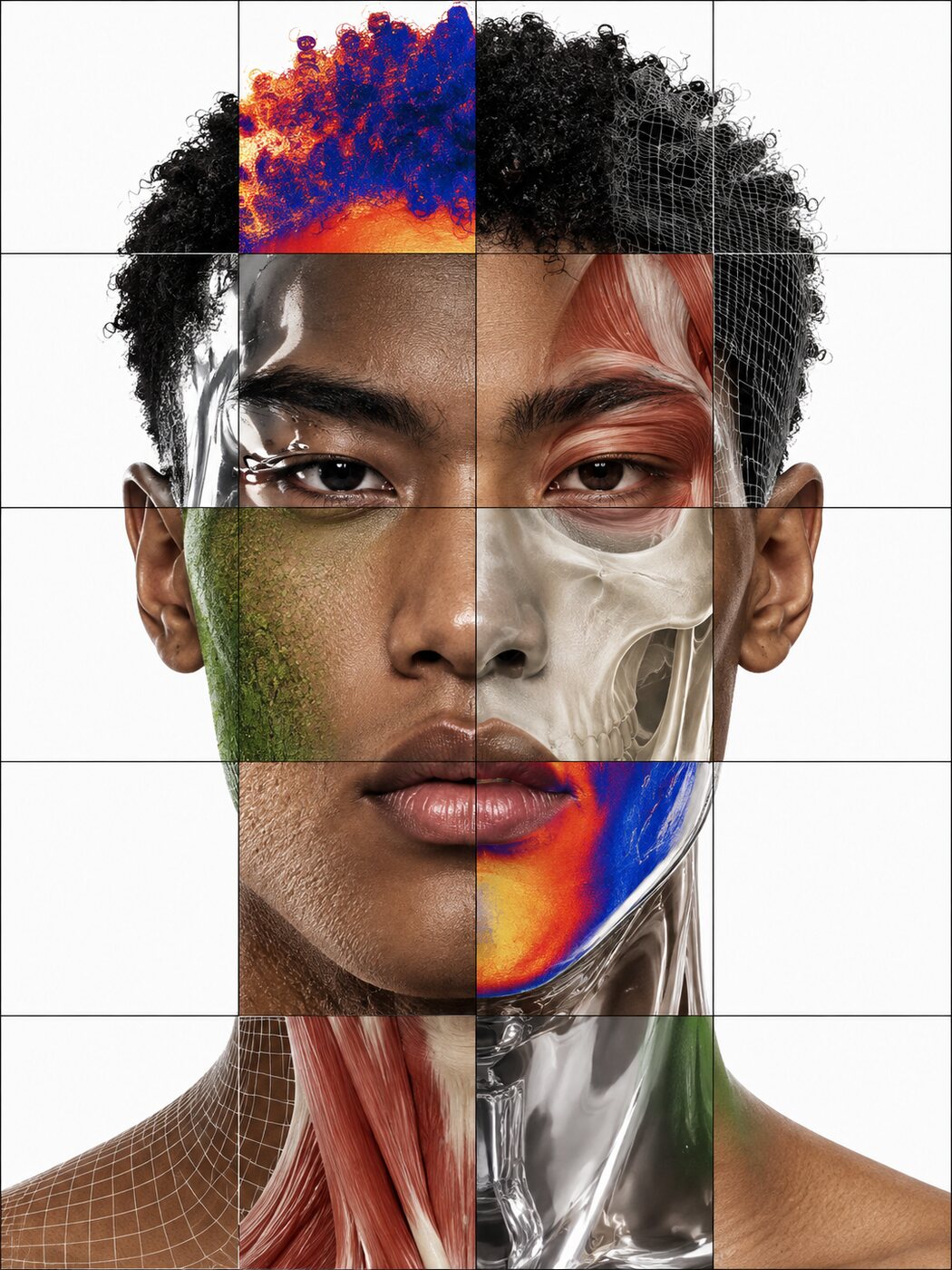
Black-and-white high-fashion editorial photograph of a tall woman in her late 20s with sharp cheekbones, thick straight brows and long wet-look dark hair falling loose past her shoulders. She stands in strict profile facing left, shoulders rolled slightly forward, chin lifted, one hand resting on the opposite collarbone, eyes looking past the camera with a calm, unsmiling expression. She wears an ivory washed-silk slip dress with thin spaghetti straps, a deep open back and a bias-cut drape; the fabric shows fine slub texture, soft creases at the waist and light catching the weave. Skin rendered honestly: visible pores on the nose and cheek, fine vellus hair on the forearm, a few small moles on the shoulder, faint redness on the knuckles, natural asymmetry, no retouching. Lit by one large octabox high camera-right with a white bounce card camera-left, giving soft wraparound light and a gentle shadow tracing the spine and collarbone. Shot on a Hasselblad 500C/M with an 80mm Planar lens at f/8, eye level, sharp from face to hem. Seamless off-white paper background falling to pure white at the top. Kodak Tri-X 400 film tones: bright clean highlights, rich mid-grey skin, deep blacks in the hair, fine visible grain. Vertical 4:5 crop, subject on the left third with generous negative space on the right.

Subject. Who or what, with age, build, pose, action and expression.

The blank template. Copy it, then replace each line with your own.

The seven-layer template
[1 SUBJECT] Who or what, with age, build, pose, action and expression.
[2 MATERIAL] Name the real materials: "washed silk", "nitrocellulose lacquer", "brushed aluminium", "smoky-grey guard hairs".
[3 FLAWS] Describe the imperfections a real camera would catch: pores, vellus hair, moles, orange peel in paint, a chip on the rim, grit, a healed scratch.
[4 LIGHT] Name one key light, where it sits and what modifies it: "one large octabox high camera-right, white bounce card camera-left".
[5 LENS] Give the camera, focal length and aperture: "Hasselblad 500C/M, 80mm, f/8".
[6 FILM] Name a film stock or colour grade: "Kodak Tri-X 400", "Fujifilm Velvia 50", "clean high-contrast commercial grade".
[7 SET] Give the background colour (as a hex code if possible), the crop and the negative space.
Do and don't

Four rules that do most of the work.

  1. Don't

    Don't stack filler.

    “ultra realistic, 8K, masterpiece” tells the model nothing.

    Do

    Describe concrete detail.

    “fine vellus hair on the forearm” does that work.

  2. Don't

    Don't list what you don't want.

    Name a thing and it can show up in the image.

    Do

    Say what you do want.

    “Pure black velvet background” leaves nothing else to appear.

  3. Don't

    Don't leave the lettering to chance.

    A sign described loosely comes back misspelt.

    Do

    Put in-image text in quotes.

    Write every word you want, exactly: “02 / CARS”.

  4. Don't

    Don't re-roll for one wrong detail.

    A new run changes everything you liked.

    Do

    Edit the image.

    Keep the picture and ask for the one change.

The workbook

Four prompts, three ways to copy each.

Take the prompt as written, the same words as JSON split into the seven layers, or a template with brackets to fill in.

All four were made with Nano Banana Pro, text to image, at 4:5.

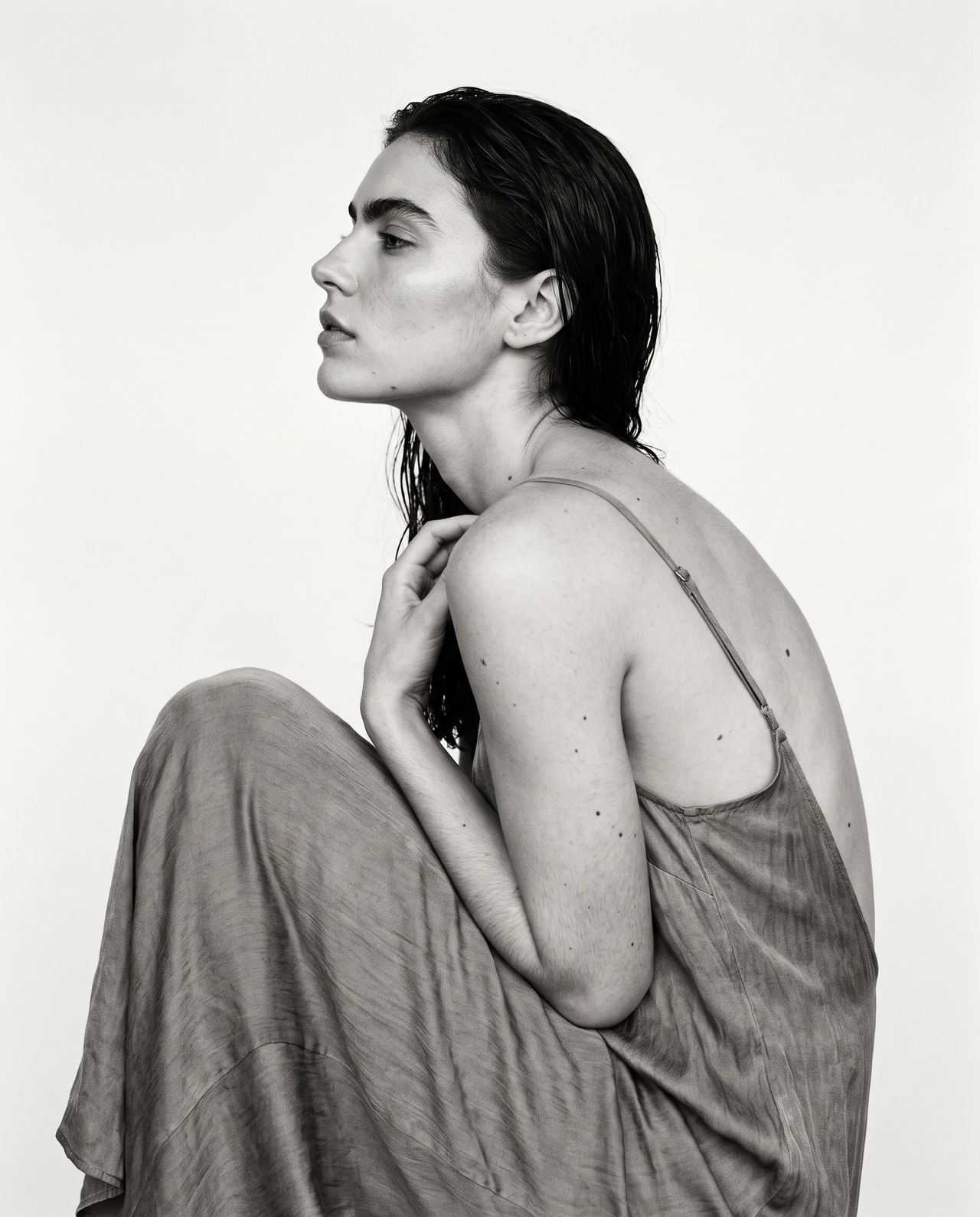
Black-and-white studio photograph of a woman in profile, facing left, with wet dark hair and a washed-silk slip dress, on an off-white paper background.
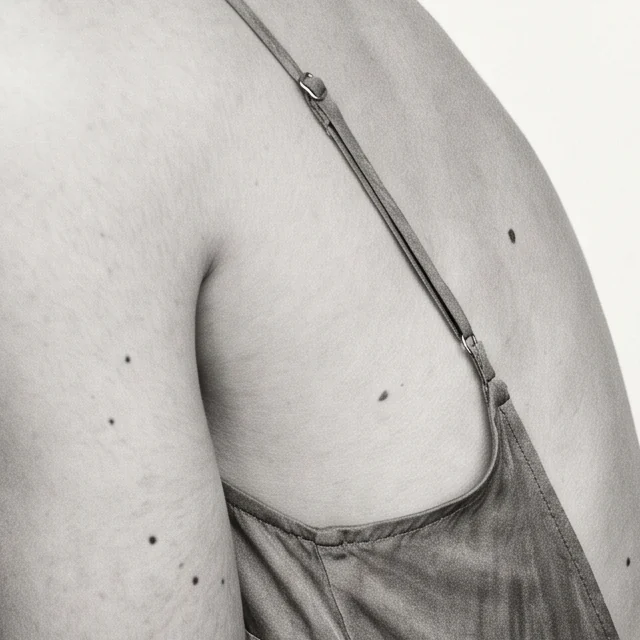
  • Close crop of her shoulder and back: small moles, fine hair on the arm and the thin dress strap.
    Small moles and fine hair on the shoulder. The prompt named both.
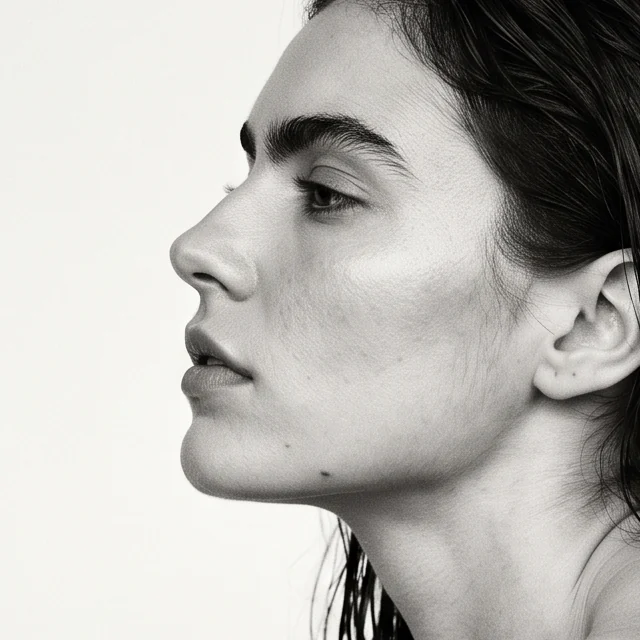
  • Close crop of her face in profile: skin texture on the cheek and nose, film grain in the highlights.
    Pores, grain and a face that is not symmetrical.

Humans

Black-and-white fashion editorial

How it was made
Nano Banana Pro, text-to-image, 4:5, 2K

Black-and-white high-fashion editorial photograph of a tall woman in her late 20s with sharp cheekbones, thick straight brows and long wet-look dark hair falling loose past her shoulders. She stands in strict profile facing left, shoulders rolled slightly forward, chin lifted, one hand resting on the opposite collarbone, eyes looking past the camera with a calm, unsmiling expression. She wears an ivory washed-silk slip dress with thin spaghetti straps, a deep open back and a bias-cut drape; the fabric shows fine slub texture, soft creases at the waist and light catching the weave. Skin rendered honestly: visible pores on the nose and cheek, fine vellus hair on the forearm, a few small moles on the shoulder, faint redness on the knuckles, natural asymmetry, no retouching. Lit by one large octabox high camera-right with a white bounce card camera-left, giving soft wraparound light and a gentle shadow tracing the spine and collarbone. Shot on a Hasselblad 500C/M with an 80mm Planar lens at f/8, eye level, sharp from face to hem. Seamless off-white paper background falling to pure white at the top. Kodak Tri-X 400 film tones: bright clean highlights, rich mid-grey skin, deep blacks in the hair, fine visible grain. Vertical 4:5 crop, subject on the left third with generous negative space on the right.

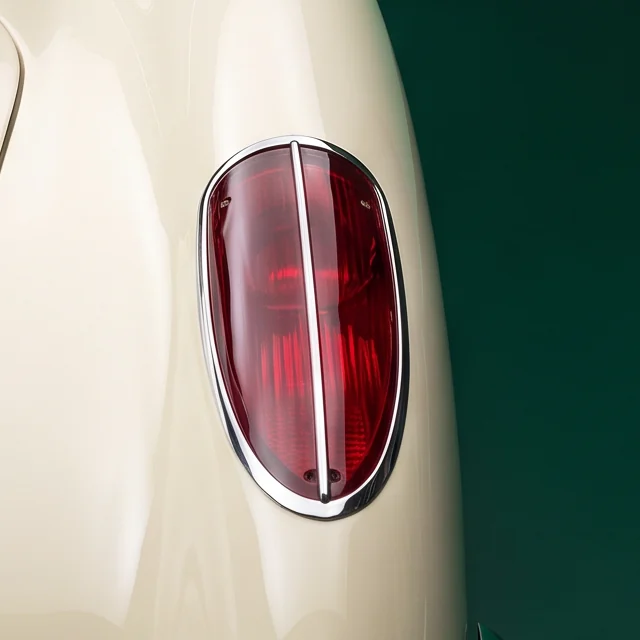
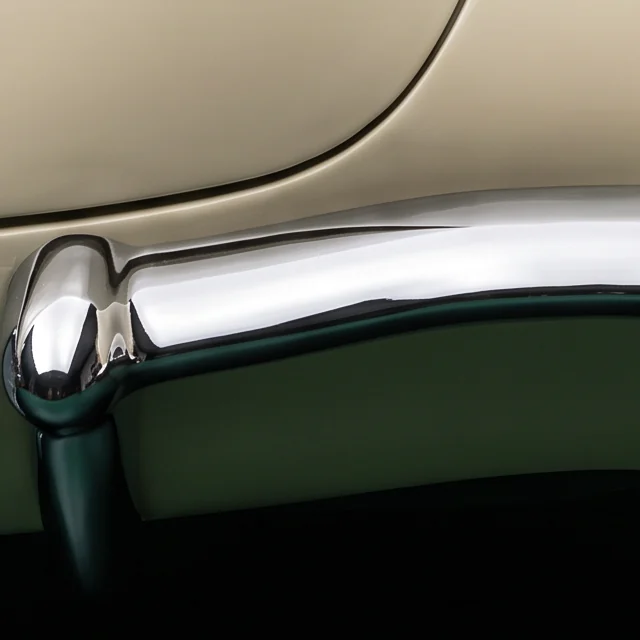
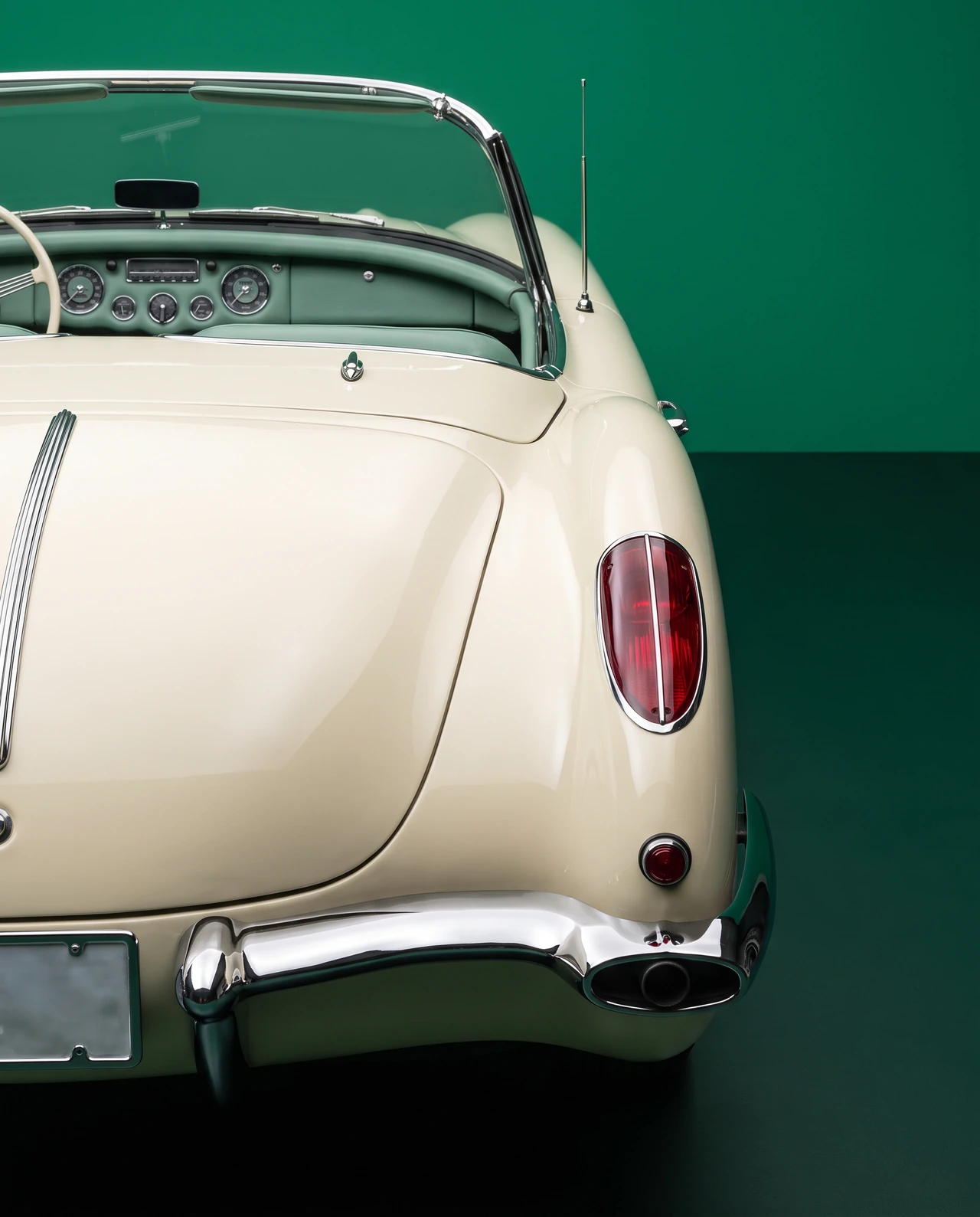
Studio photograph of the rear quarter of a cream 1950s convertible roadster with a ruby-red tail lamp and chrome bumper, against a flat emerald green wall.
  • Close crop of the ruby-red glass tail lamp: reflector ridges inside the glass and a chrome rim.
    Reflector ridges inside the glass, because the prompt described them.
  • Close crop of the chrome bumper: a bright highlight on top and the dark green floor reflected underneath.
    The floor shows up as a dark reflection in the chrome.

Cars

Colour-block studio detail

How it was made
Nano Banana Pro, text-to-image, 4:5, 2K

Studio automotive detail photograph of the rear quarter of an unbadged 1950s two-seat convertible roadster, cropped tight so the car fills the frame and bleeds off the left and bottom edges. Cream-ivory nitrocellulose lacquer paint with deep gloss, faint orange-peel texture and long soft highlight streaks along the swollen rear fender; a bullet-shaped ruby-red glass tail lamp with visible internal reflector ridges; a thick chrome bumper guard with a round exhaust port; a ribbed chrome trunk spear; a thin whip antenna rising from the fender. Inside the open cockpit, a seafoam-green leather dashboard with round chrome-ringed gauges. A plain polished chrome plate sits where a badge would be. Lit with a large overhead softbox and two strip lights skimming the bodywork so every curve reads, with crisp chrome specular highlights and a dark reflection of the floor in the lower bumper. Shot on a Phase One IQ4 with a 120mm lens at f/11, straight-on from slightly above. Background is a flat saturated emerald green (#0E6B4A) seamless wall meeting a deep bottle-green floor in a hard horizontal line. Clean high-contrast commercial colour grade, rich saturation, no haze. Vertical 4:5.

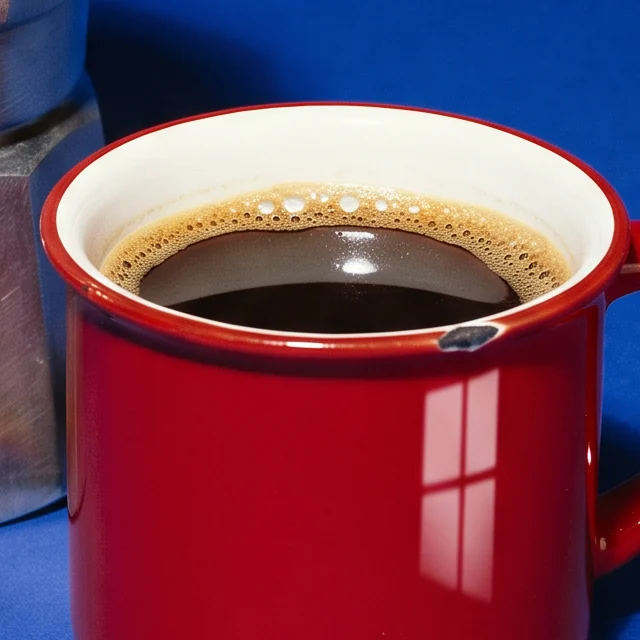
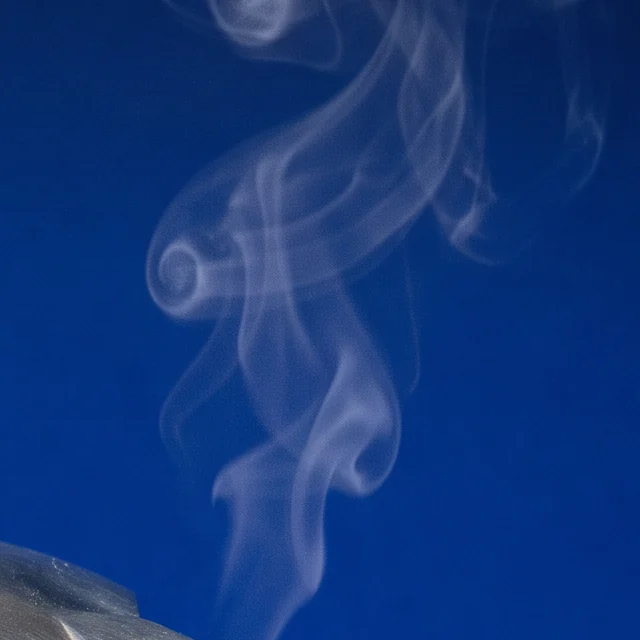
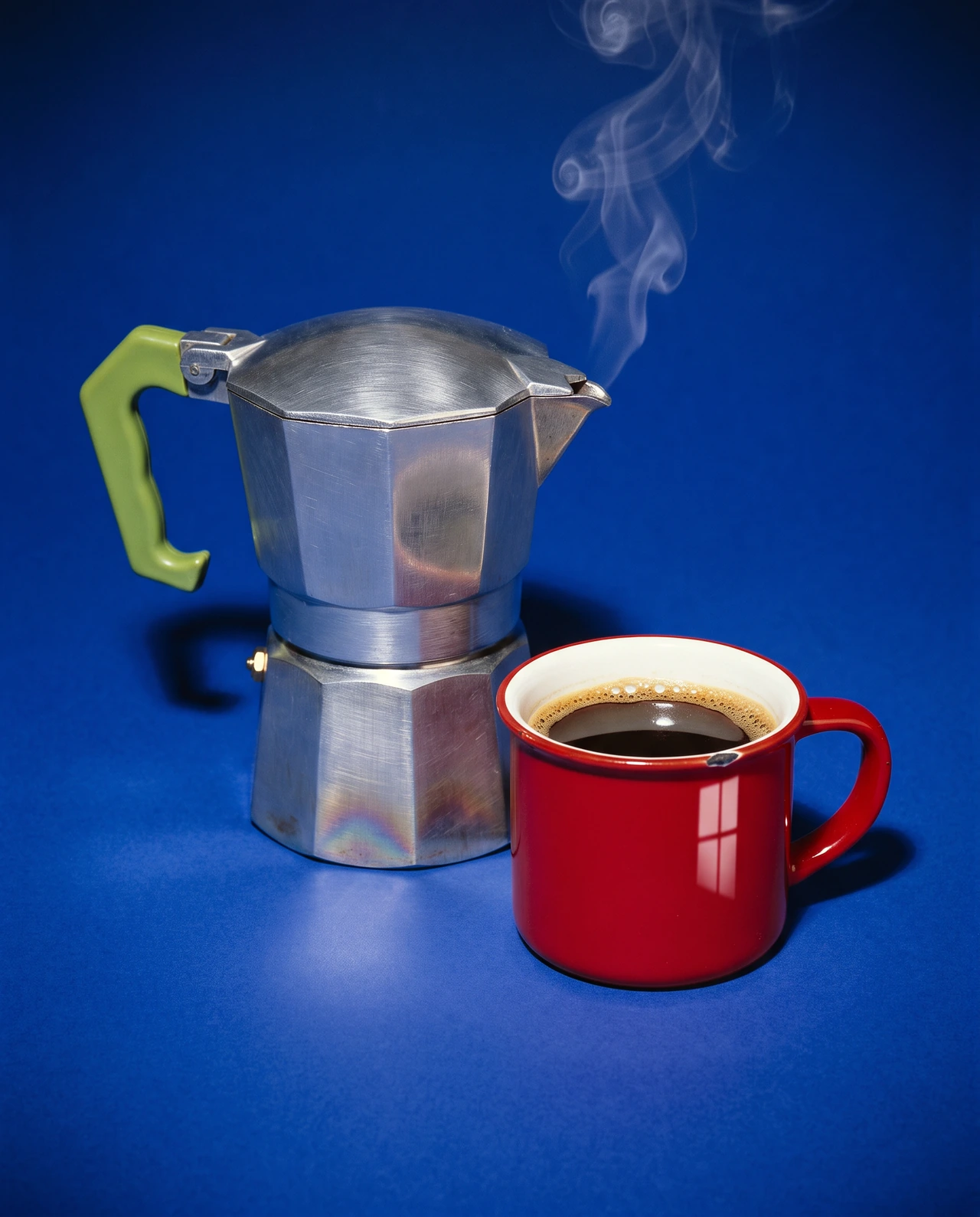
Still-life photograph of a brushed-aluminium moka pot with a lime-green handle beside a red enamel cup of coffee, steam rising, on cobalt-blue paper.
  • Close crop of the red enamel cup: a small chip on the rim, bubbles in the crema and a window-shaped highlight.
    One chip on the rim, bubbles in the crema, a window in the glaze.
  • Close crop of steam curling upward against the flat cobalt-blue background.
    Steam curling from the spout against flat cobalt paper.

Objects

1990s magazine still life

How it was made
Nano Banana Pro, text-to-image, 4:5, 2K

Bold 1990s magazine still-life photograph of a small octagonal brushed-aluminium stovetop moka pot with a lime-green bakelite handle and a domed lid, steam curling from the spout, placed beside a single cherry-red glossy enamel espresso cup filled to the brim with dark coffee topped with thin tan crema and tiny bubbles. The aluminium shows fine machining lines, a dull satin sheen and a few heat-tint marks near the base; the enamel cup shows a white inner glaze, a small chip on the rim and a sharp window-shaped highlight. Both objects stand on a wrinkle-free sheet of deep cobalt-blue paper (#1F3FA8) that sweeps up into the background. Lit by a single hard on-camera ring flash plus a soft fill from above, giving bright saturated colour, crisp edges and a short dark shadow directly behind each object. Shot on a Mamiya RZ67 with a 110mm lens at f/16 from a 30-degree high angle. Fujifilm Velvia 50 slide-film colour: punchy reds, electric blue, slight warm cast, fine grain and gentle vignetting at the corners. Vertical 4:5, objects centred in the lower two-thirds.

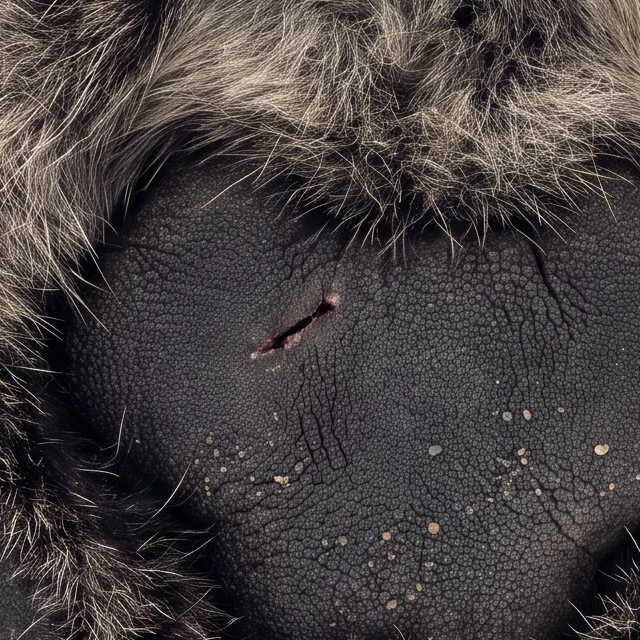
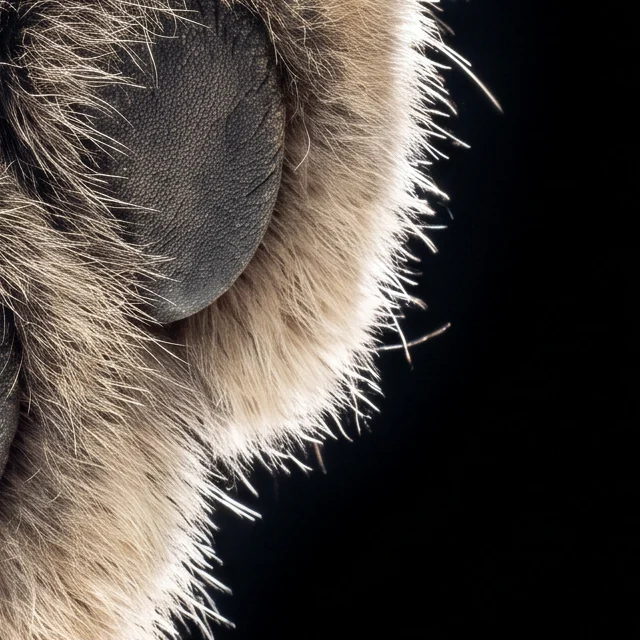
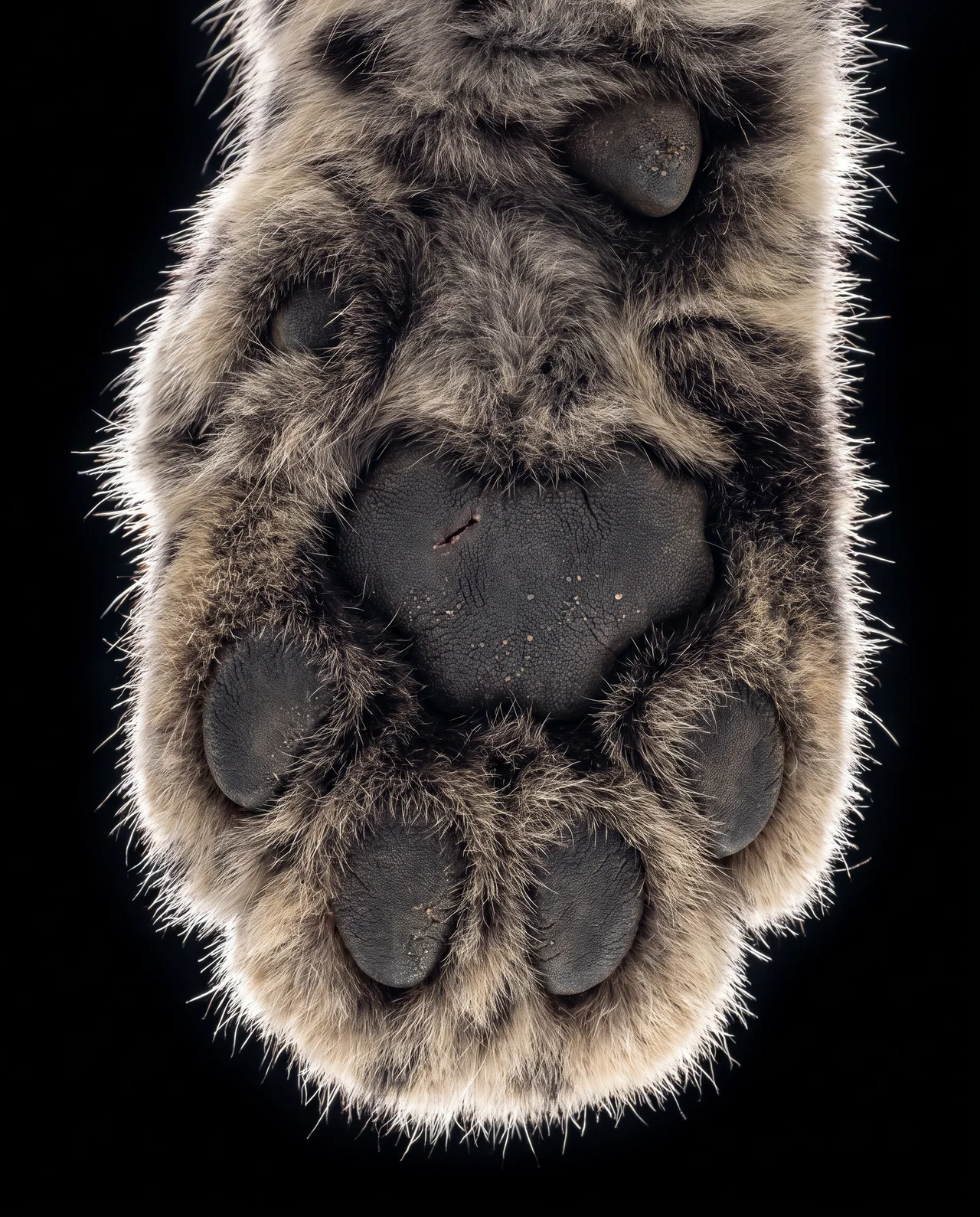
Macro photograph of the underside of a snow leopard's paw on a black background: grey fur lit from behind, dark toe pads and a large central pad.
  • Close crop of the central pad: pebbled skin, a tiny healed scratch and a dusting of pale grit.
    A healed scratch and granite grit on the central pad.
  • Close crop of the paw's edge: single guard hairs glowing against the black background.
    Guard hairs separated and lit from behind.

Animals

Extreme macro

How it was made
Nano Banana Pro, text-to-image, 4:5, 2K

Extreme macro photograph of the underside of a snow leopard's front paw reaching toward the camera from the top of the frame, filling most of the image. Thick smoky-grey fur with charcoal rosettes and pale cream tips, every individual guard hair separated and backlit; four leathery dark-grey toe pads and a large central pad with a fine pebbled micro-texture, small creases, a light dusting of granite grit and one tiny healed scratch. Tufts of dense fur grow between the pads. Lit by one narrow strip softbox from directly above and a faint rim light from behind, so the fur edges glow and the pads show soft specular highlights. Shot on a Canon EOS R5 with a 100mm f/2.8 macro lens at f/5.6, razor-sharp focus on the central pads with the wrist falling into soft blur. Pure black velvet background. Natural colour, cool neutral grade, deep blacks, crisp micro-contrast. Vertical 4:5.

Add editorial text

Turn the photo into a slide.

To set type on a picture, attach the photo as Image 1 and ask for typography only.

Fill in the brackets. Everything in quotes is printed as written.

Text overlay prompt

Turn Image 1 into a minimalist editorial Instagram carousel slide. Keep the photograph exactly as it is, full-bleed, same crop and colours. Add typography only, placed on the empty background in the [upper-right / upper-left] area: a slim solid deep emerald green (#1F7A4D) pill holding the small off-white all-caps label "[0X / TOPIC]"; below it a huge heavy grotesque sans-serif headline (Neue Haas Grotesk Display Black style) in [off-white / black], all caps, very tight leading: "[LINE 1]" / "[LINE 2]"; below it a short paragraph in small regular-weight sans-serif: "[TIP]". Text must not overlap the subject. Crisp sharp lettering, correct spelling, generous margins.

Put text on a solid, empty area.

A light panel under a light photo merges, and the layout falls apart.

Write every word in quotes.

Name the colour of each element, and keep one accent colour only.

Mostly text? Attach no image.

If you attach a reference, the model makes the photo the hero.

Do it in Zenflow

Four steps, one tool.

  1. Open the chat.

    Start a project and click into the chat composer.

  2. Type @ and pick a model.

    Typing @ in the composer lists the models. Choose an image model such as Nano Banana Pro.

  3. Paste a prompt and generate.

    Take any prompt from this page and set the aspect ratio to 4:5. The model shows its credit price before the run.

  4. Edit, don't re-roll.

    To fix one detail, type @ to attach the image you just made and describe only the change.

The same prompts work in ChatGPT and Gemini too. They are just good prompts.

Try it in Zenflow

Prefer to stay in Claude or ChatGPT? Connect Zenflow and run these prompts from there, with your account.

The workspace that remembers.

Add your brand book, your logos and last year's approved campaign. Then ask for the dog from last year's cultural campaign.